
⚡ Quick Verdict
★★★★½
GoHighLevel’s funnel builder isn’t powerful because of its drag-and-drop editor — it’s powerful because every page, every form submission, and every button click connects natively to your CRM, automation workflows, SMS sequences, appointment calendar, and payment processor. No Zapier. No plugins. No duct tape. For agencies and service businesses, this ecosystem integration is what makes GHL funnels convert significantly better than identical pages built on standalone tools.
✅ Best For
- Agencies building funnels for multiple clients
- Coaches, consultants, and service businesses
- Anyone replacing ClickFunnels + CRM + email tools
- Businesses that sell courses, services, or subscriptions
❌ Skip If
- You need ultra-polished e-commerce with advanced product analytics
- You’re a solo entrepreneur who only needs 1–2 simple pages
- Your team prioritizes design aesthetics over automation depth
Extended 30-day trial via our affiliate link — double the standard length
Ease of Use
4.4 / 5
CRM Integration
5.0 / 5
AI Builder
4.6 / 5
Value for Money
4.9 / 5
Most funnel builder reviews focus on the wrong thing. They compare template counts, drag-and-drop smoothness, and page load speeds — as if the funnel itself is what converts leads into clients. It isn’t. What converts is what happens after someone submits your form: the speed of follow-up, the relevance of the next message, the friction in the booking flow. And that’s exactly where GoHighLevel completely outclasses every standalone funnel builder on the market.
In 2026, GHL’s funnel builder has matured significantly. The AI Funnel Builder — which launched in late 2024 and received major updates through early 2026 — can now generate a complete multi-step funnel with copy, layout, and images from a single text prompt in two to four minutes. The V2 Funnel system supports one-click upsells, order bumps, two-step checkout flows with abandoned cart recovery, subscription billing, and full payment processor flexibility. Pair that with native CRM, SMS, email, and calendar automation, and you have a funnel system no standalone tool can touch on total business value.
This guide walks you through everything: how the builder works, all funnel types you can build, the complete step-by-step build process, advanced features like AI generation and upsell flows, optimization tactics, and how GHL compares to ClickFunnels in 2026.
How the GoHighLevel Funnel Builder Actually Works
GoHighLevel’s funnel builder lives inside Sites → Funnels in your sub-account dashboard. The interface has three main panels working together: a Funnel Overview that shows a visual roadmap of every step in your funnel (opt-in page, thank you page, order form, upsell, etc.), a Page Editor that opens when you click any step — a live drag-and-drop workspace with real-time previews — and a Settings & Integrations panel where you connect custom domains, tracking pixels, CRM automations, and payment processors.
The critical difference between GHL and standalone builders like ClickFunnels or Leadpages is the backend connection. When a visitor submits a form on your GHL funnel page, the platform simultaneously creates a contact record in your CRM, assigns a pipeline stage, fires your Workflow automation (which can send an SMS within 60 seconds, trigger an email sequence, and notify your sales team on Slack), and logs the lead source for attribution reporting. All of this happens without a single Zapier zap, webhook, or third-party integration. It’s the same platform doing all of it.
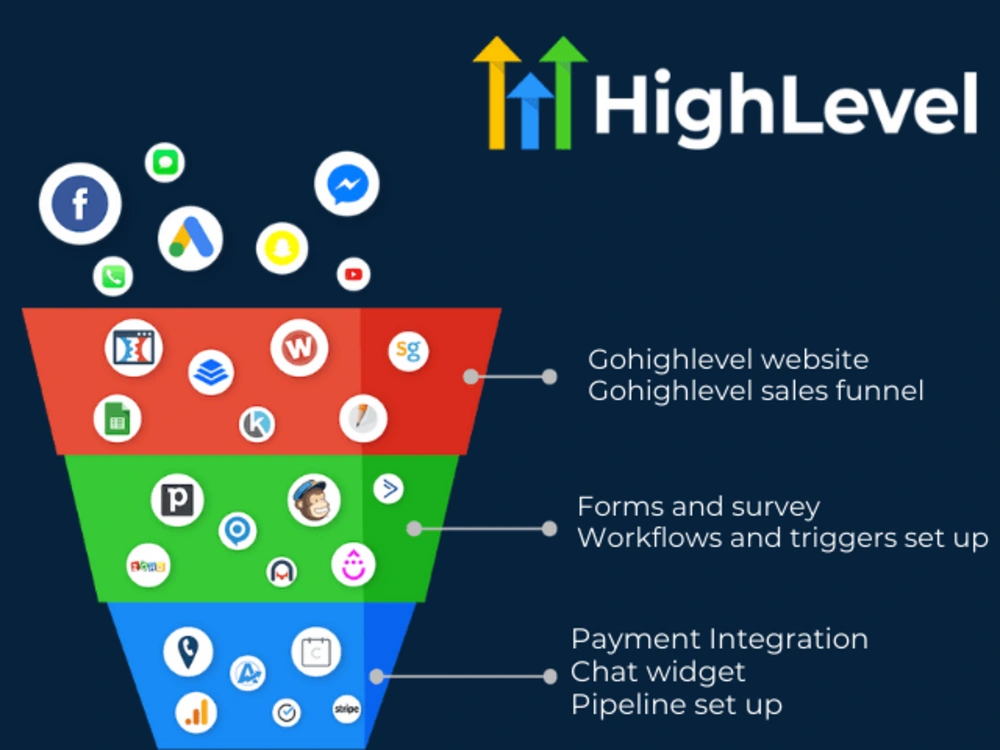
The GHL funnel builder: visual step overview, live page editor, and native CRM/automation connection in one interface
Every Funnel Type You Can Build in GoHighLevel
GHL’s funnel builder isn’t limited to simple lead capture pages. Here’s the full range of funnel types the platform supports, each natively connected to automation and your CRM.
🎯 Lead Generation Funnel
The most common use case: an opt-in page with a compelling offer (free guide, checklist, webinar registration), followed by a thank you page that sets expectations and fires your follow-up workflow. Every form submission creates a CRM contact and triggers an immediate SMS + email sequence. Best for: agencies, coaches, service businesses.
📅 Appointment Booking Funnel
Combines a landing page with GHL’s native calendar widget — visitors choose a time slot directly on the page, skipping the form-then-calendar step that causes drop-off. The booking confirmation fires your reminder sequence (day-before and 1-hour-before), and a no-show workflow re-engages leads who didn’t attend. Best for: consultants, local service businesses, sales teams.
🛍️ Sales Funnel with Order Bumps & Upsells
A full e-commerce checkout flow: sales page → order form with optional order bump (a checkbox add-on at checkout) → one-click upsell page → thank you page. Payment token pass-through means customers never re-enter card details to accept the upsell. Requires V2 Funnels and Stripe/PayPal. Best for: course creators, digital product sellers, service packages.
📋 Two-Step Order Form Funnel
Step 1 collects contact info (name, email, phone) before payment. Step 2 is the checkout. If a visitor completes Step 1 but abandons Step 2, their contact is already in your CRM and an abandoned cart workflow fires automatically — typically recovering 10–20% of lost sales. Best for: higher-ticket offers where prospects need a moment before committing their card.
🎓 Course & Membership Funnel
A sales page connected to GHL’s built-in course platform. Purchase triggers automatic course access, an onboarding email sequence, and a pipeline stage update. Supports one-time payments, subscriptions, and payment plans. GHL provides unlimited courses on all plans. Best for: online educators, coaches selling programs, membership community operators.
🌐 Webinar Registration Funnel
Registration page → confirmation page with Zoom link → automated reminder sequence (email + SMS) at 24 hours and 1 hour before. Post-webinar, a follow-up workflow can segment attendees vs. no-shows and send each group a different offer. Best for: agencies doing client acquisition webinars, coaches selling high-ticket programs.
⭐ Review Generation Funnel
A post-service workflow triggers an SMS asking clients to rate their experience. High ratings are redirected to Google or Facebook to leave a public review. Low ratings are captured privately for internal resolution. Connects natively to Google Business Profile. Best for: local service businesses, healthcare providers, restaurants.
Step-by-Step: Building Your First GoHighLevel Funnel
Here’s the exact process to go from zero to a live, automation-connected funnel — including the steps most tutorials skip.
Navigate to Sites → Funnels and Create New
From your sub-account dashboard, click Sites in the left sidebar, then Funnels. Click New Funnel. Give it a clear internal name (e.g., “Lead Gen — Free Tax Checklist — April 2026”) so you can identify it later in analytics. Choose V2 as your funnel version.
Choose: AI Builder, Template, or Blank Canvas
You have three starting points. The AI Builder (in Assist or Build mode) generates your entire page from a text prompt in 2–4 minutes — fastest option. The Template Library has 200+ niche-specific designs you customize — fastest for beginners. Blank canvas gives you full creative control — best when you have a specific design vision. See the AI Builder section below for how to prompt it effectively.
Build Your Opt-In Page in the Drag-and-Drop Editor
Click your landing page step to open the editor. The core elements every opt-in page needs: a benefit-driven headline (not a tagline — an outcome), a 2–3 line subheadline, your lead capture form connected to your CRM, a primary CTA button, and at minimum one trust signal (testimonial, logo row, or social proof stat). Keep the design clean — one goal, one action, no navigation links off the page.
Add Your Form and Connect It to a Workflow
Drag a Form element onto the page. In the element settings, select an existing form or create a new one. Inside the form settings, set the post-submission action to Go to Next Step (which moves the visitor to your Thank You page) and connect it to a Workflow. This workflow is where the real automation fires — SMS follow-up within 60 seconds, email sequence, pipeline stage assignment, and team notification all trigger here.
Build Your Thank You Page
Add a second step to your funnel and set it as the Thank You page. This page should: confirm what they signed up for, tell them exactly what happens next (check email, await call, download link), optionally include a video from you to build rapport, and — if relevant — present a low-friction next offer (book a call, access a bonus, etc.). A well-designed thank you page keeps momentum going instead of ending the journey.
Switch to Mobile View and Optimize
In the editor toolbar, switch to Mobile View. Check that your headline isn’t truncating, your form fields are large enough to tap, your CTA button spans the full width for thumb access, and sections stack correctly. The majority of funnel traffic arrives on mobile — every page must look intentional on a 375px screen, not just on desktop.
Configure Funnel Settings: Domain, Pixels, SEO
Click the Settings tab on your funnel. Add your custom domain (or use a GHL subdomain), paste in your Facebook Pixel ID, Google Analytics measurement ID, and any other tracking scripts. Set your SEO title and meta description for organic discovery. These settings apply at the funnel level so you don’t need to re-enter them on every page.
Run a Full Test Before Going Live
This step is skipped by most people and causes the most problems. Submit your form using a real email address from a fresh browser tab. Verify that: your contact is created in the CRM with the correct tags and pipeline stage, the Workflow fires and you receive the SMS and email follow-up, the Thank You page loads correctly, and your tracking pixel fires (check with Meta Pixel Helper or GA Debugger). Fix any issues before sending traffic.
Publish and Share Your Funnel
Click Publish and your funnel goes live on your custom domain instantly. Copy your funnel URL and use it in ad campaigns, bio links, email signatures, or anywhere you’re driving traffic. GHL’s funnel analytics dashboard tracks page views, form submissions, conversion rates, and lead sources from the moment you publish.
The GoHighLevel AI Funnel Builder (2026 Update)
The AI Funnel Builder — accessible via Funnels & Websites AI in the builder — is GoHighLevel’s most significant 2026 update to the funnel system. It uses generative AI to design complete funnel pages from a text prompt, with two distinct operating modes.
Assist Mode vs Build Mode
Assist Mode is a guided template experience — you answer a series of structured questions about your business, offer, and target audience, and the AI generates a niche-specific page with proven conversion layouts. Build Mode gives you a free-text prompt interface where you describe your vision in natural language and the AI builds from that. Both modes allow live chat refinement — you can type instructions like “make the headline shorter” or “change the CTA button color to green” and the AI applies the revision in real time.
How to Write an Effective AI Funnel Prompt
The quality of your AI-generated funnel is directly proportional to the specificity of your prompt. A vague prompt produces a generic page; a specific prompt produces a funnel you can launch with 20–30 minutes of editing. Here’s what to include: your business type, your specific offer, your target audience, the primary goal of the page, and any tone or style preferences.
The AI generates a complete funnel structure with copy, layout, and images in 2–4 minutes. The output isn’t publication-ready as-is — you’ll refine the copy, swap stock images for branded ones, and adjust the design to match your exact brand guidelines. But the structure and baseline content are solid enough that a complete funnel can go live in 30–45 minutes rather than the 3–4 hours a full manual build requires. For agencies deploying funnels at scale across multiple clients, this time reduction is substantial.
Import from URL or Screenshot
In 2026, the AI Builder also supports importing the look and feel of any existing URL or screenshot. If you have a competitor’s funnel or a design reference you want GHL to match in style, paste the URL or upload the screenshot and the AI reconstructs a similar layout with your own content. This is particularly useful for agencies migrating clients from other platforms.
Build Your First Funnel with AI in Under an Hour
GoHighLevel’s AI Builder generates your funnel structure, copy, and layout from a single prompt. Get a 30-day trial to test it yourself — plus a live bootcamp where the GHL team walks you through your first funnel build.
→ Get 30 Days Free Trial + Free Live Bootcamp to Launch HighLevel TogetherOrder Forms, Order Bumps & One-Click Upsells
For businesses selling products, courses, or services directly through their funnels, GoHighLevel’s V2 checkout system is one of its most powerful — and most misunderstood — features. Here’s how each component works.
One-Step vs Two-Step Order Forms
A one-step order form puts contact info and payment details on a single page — fastest checkout experience, highest immediate conversion for warm traffic. A two-step order form puts contact details on Step 1 and payment on Step 2. The advantage: if a visitor completes Step 1 but abandons at payment, their contact is already in your CRM. A GHL workflow immediately fires an abandoned cart SMS and email sequence — typically recovering 10–20% of those lost sales. For most mid-ticket to high-ticket offers, the two-step form wins on total revenue even with slightly lower front-end conversion.
Order Bumps
An order bump is an additional offer presented directly on the checkout page as a checkbox — “Add [Bonus] for just $X more.” The customer adds it with a single tick, no separate page required. Order bumps are the lowest-friction revenue maximizer in GHL funnels because the decision happens at the point of maximum purchase intent. Typical order bump acceptance rates range from 15–35% depending on the relevance and price of the add-on.
One-Click Upsells (V2 Only)
After the initial purchase is confirmed, GHL displays a dedicated upsell page with a single “Yes, add this to my order” button. The platform uses the original payment token from the initial purchase — the customer is charged immediately with one click, no card re-entry required. If the customer declines the upsell, you can redirect them to a downsell page (a lower-priced alternative). This three-tier checkout structure — main offer → upsell → downsell — is standard for high-converting e-commerce funnels and works natively in GHL V2.
Snapshots: Clone Entire Funnel Systems in One Click
One of GoHighLevel’s most underused and most powerful features for agencies is Snapshots. A Snapshot captures an entire marketing system — funnels, automation workflows, email sequences, SMS campaigns, pipeline stages, calendars, and custom fields — and packages it into a single installable template that can be deployed to any sub-account in minutes.
For an agency, this means you build one perfect lead generation funnel for dental practices, save it as a Snapshot, and deploy it to ten dental clients in an afternoon. Each deployment is a fresh copy connected to that client’s own CRM and phone number — not shared. You’re not rebuilding the same funnel fifty times. You clone it. This is the operational advantage that separates high-revenue agencies from ones that stay stuck doing everything manually.
Funnel Optimization: The Metrics That Actually Matter
Building the funnel is step one. Getting it to consistently convert is step two. Here’s how to diagnose underperformance and fix it systematically.
The Key Metrics to Track in GHL Analytics
GHL’s funnel analytics dashboard shows you page views, form submissions, and conversion rate per step. The metrics to watch most closely are your opt-in rate (form submissions ÷ page views — benchmarks vary by industry but 20–40% is healthy for paid traffic), your booking rate (appointments ÷ opt-ins — anything above 30% is strong), and your show rate (attendees ÷ bookings — target above 70% with proper reminder workflows). Revenue per visitor ties all of this together for funnels with order forms.
The Most Common Funnel Problems and Their Fixes
| Symptom | Most Likely Cause | Fix |
|---|---|---|
| Low landing page opt-in rate (<15%) | Weak headline or misaligned offer for the traffic source | Rewrite headline to focus on one specific outcome. A/B test two variants. |
| Many views but few bookings | Calendar is buried below the fold or too many form fields | Move calendar to the first screen. Reduce form to name + email + phone only. |
| High no-show rate on calls | Missing reminder sequence before the appointment | Add SMS reminder 24 hours before and 1 hour before with a reschedule link. |
| Leads not receiving follow-up | Workflow not connected to the form, or form uses wrong element type | Test form submission from a fresh browser. Verify Workflow fires in the contact record. |
| High abandoned checkout rate | Using one-step form for cold or warm-but-hesitant traffic | Switch to two-step order form so Step 1 contact is captured for abandoned cart recovery. |
| Upsell page not charging correctly | Using V1 Funnel or non-native form element | Rebuild in V2 Funnel using only native GHL Form elements. All steps on same domain. |
A/B Testing Your Funnels
GHL’s built-in split testing lets you create a variation of any funnel page, set the traffic split, and track conversion rates per variant in real time — no external tool needed. The cardinal rule: change one element per test. Headline, CTA text, button color, hero image, or form length — not multiple simultaneously. Run each test until you have at least 200–300 unique visitors per variant before drawing conclusions. Agencies that run continuous A/B tests compound small conversion improvements over time into significantly higher client results.
GoHighLevel Funnel Builder: Pros and Cons
| ✅ Pros | ❌ Cons |
|---|---|
| Every form submission natively connects to CRM, workflow, and pipeline | Template designs are functional but less polished than ClickFunnels |
| AI Builder generates complete funnels in 2–4 minutes from a text prompt | V2 upsell/order form setup has a steeper learning curve than basic pages |
| Snapshots let agencies clone entire funnel systems to client accounts instantly | Initial platform onboarding takes longer than single-purpose builders |
| Unlimited funnels on all plans — no per-funnel fees | Page speed on high-traffic paid campaigns requires image optimization effort |
| One-click upsells, order bumps, and two-step checkout all native in V2 | Advanced features (AI builder, some automation) need enabling in Labs settings |
| Built-in A/B split testing, analytics, and funnel conversion tracking | ClickFunnels still beats GHL on pure e-commerce UX for physical product sellers |
| Import funnels directly from ClickFunnels to accelerate migration | Some imported ClickFunnels pages require design correction after import |
GoHighLevel vs ClickFunnels 2026: Which Wins for Funnels?
| Feature | GoHighLevel | ClickFunnels 2.0 |
|---|---|---|
| Built-in CRM | GHL ✅ — Full pipeline CRM | Basic contact list only |
| SMS & Email Automation | GHL ✅ — Native multi-channel | ⚠️ Email only, requires integrations for SMS |
| Template Polish | ⚠️ Functional, less aesthetic | CF ✅ — More polished designs |
| One-Click Upsells | ✅ V2 Funnels | ✅ Core feature |
| AI Funnel Builder | GHL ✅ — Full page generation | ⚠️ Limited AI copywriting |
| Multi-Client Sub-accounts | GHL ✅ — Unlimited | ❌ Against TOS to manage multiple clients |
| Snapshots (Clone Entire Systems) | GHL ✅ — Exclusive feature | ❌ Not available |
| White-Label / Rebrand | GHL ✅ — SaaS Mode ($497/mo) | ❌ Not available at any tier |
| Starting Price | $97/mo — includes CRM, funnels, automation, SMS, email | $97/mo — funnels + basic features only |
The verdict for agencies: GoHighLevel wins clearly. ClickFunnels Terms of Service actively prohibit using one account to manage multiple client businesses — each client requires a separate $97+/month subscription. GoHighLevel’s Unlimited plan at $297/month supports unlimited client sub-accounts, and the Snapshot system means you’re deploying funnels faster than ClickFunnels users can even set up a new account.
Build Funnels That Actually Close Leads — Not Just Capture Them
GoHighLevel’s funnel builder connects every page and every form submission to your CRM, automation workflows, and follow-up sequences automatically. Your 30-day trial includes full access to the AI Builder, V2 upsell flows, Snapshots, and a live bootcamp where the GHL team helps you build and launch your first funnel correctly from day one.
→ Get 30 Days Free Trial + Free Live Bootcamp to Launch HighLevel TogetherExtended 30-day trial via our affiliate link — includes live funnel build bootcamp
Frequently Asked Questions
How many funnels can I create in GoHighLevel?
GoHighLevel allows you to create unlimited funnels on all plans — Starter, Unlimited, and Pro. There are no per-funnel fees, page limits, or traffic restrictions. This makes GHL significantly more cost-effective than standalone funnel builders that charge by page count or traffic volume. Agencies managing multiple clients can build unlimited funnels across all sub-accounts from a single agency plan.
Can I import my ClickFunnels funnels into GoHighLevel?
Yes. GHL has a native ClickFunnels import feature that pulls the page structure from your existing funnels. The import won’t be perfect — design elements may shift and all integrations need to be rebuilt natively in GHL — but it significantly reduces rebuild time compared to starting from scratch. After import, rebuild your form connections, automation workflows, payment products, and tracking pixels before testing the funnel end-to-end.
What’s the difference between GHL Funnels and GHL Websites?
Funnels are purpose-built conversion flows — typically 2 to 5 pages guiding visitors toward one specific action (opt-in, purchase, or booking) with no navigation menu or external links that could distract from that goal. Websites are full multi-page sites with navigation menus, multiple sections, and general browsing structure. Both use the same drag-and-drop editor and both connect natively to GHL’s CRM and automation, but they serve different use cases. Most agencies use Funnels for campaigns and Websites for client home pages.
Does the GoHighLevel AI Builder replace the need to design manually?
The AI Builder dramatically reduces design time but doesn’t eliminate manual work entirely. The generated output — typically complete in 2–4 minutes — gives you solid page structure, copywriting direction, and layout composition. You’ll still need to swap stock images for branded photography, refine copy to match your exact voice and offer, adjust colors to your brand palette, and configure all backend connections (form, workflow, domain, pixels) manually. Think of it as starting at 60% done rather than 0%.
How does A/B testing work in the GoHighLevel funnel builder?
GoHighLevel has built-in split testing in the Funnels module. You duplicate any page step to create a variation, modify one element (headline, CTA, image, or form), set a traffic split percentage (50/50 is standard), and GHL automatically routes visitors between variants while tracking conversion rates per version in real time. Declare a winner only after reaching statistical significance — minimum 200–300 unique visitors per variant. Then promote the winning version and set up the next test.
Can I sell products and collect payments directly in my GoHighLevel funnel?
Yes. GoHighLevel’s V2 Funnels support full e-commerce checkout flows including one-time products, recurring subscriptions, payment plans, order bumps (checkbox add-ons at checkout), and one-click upsells that charge using the initial payment token. Supported payment processors include Stripe, PayPal, Authorize.net, NMI, and Square. Apple Pay and Google Pay are supported when enabled on your Stripe account. Configure products in Payments → Products and connect them to funnel steps in the Order Form element settings.